




When companies expand and change, they start needing smarter software tools. ERP and CRM systems often come up as two big ones to think about. Recent studies show the global ERP software market might grow to $78.41 billion by 2026. Meanwhile, the CRM market is set to climb to $128.97 billion by 2028. These figures show how important these tools are becoming for businesses today.
Having spent over a decade helping companies navigate digital transformation at Arobit Business Solutions, I've witnessed firsthand how the right choice between ERP vs. CRM can make or break a company's operational efficiency. In this comprehensive guide, we'll explore the key differences between these systems, their unique benefits, and how integrating them can create a powerhouse solution for your business growth.
How does ERP differ from CRM?
ERP and CRM have different focuses and purposes. Picture your business as a theatre show. ERP would take charge of everything happening behind the curtains, while CRM would focus on making sure the audience has the best experience.
ERP handles: Back-end tasks and main business workflows
ERP systems help simplify and connect the main processes of your company. Think of them like the brain of your organization, linking areas such as accounting, project management, supply chain, compliance, and risk management. When I began Arobit, I learned that strong customer-facing strategies don't work if the back-end operations aren’t well-connected.
CRM Focus: Customer-facing operations
CRM systems focus on everything related to your customers. They manage sales, customer service, relationship-building, and improving the overall customer experience. These tools act as the backbone of your efforts to grow revenue by strengthening relationships with your customers.
The difference is straightforward. ERP handles internal business operations, and CRM focuses on how your business connects with customers.
How ERP and CRM software are alike
Even with different purposes, ERP and CRM systems have basic traits that make them useful for businesses.
Both tools store and manage data in one place. This removes the mess caused by scattered information across several systems. They help businesses save time by automating tasks and simplifying workflows to cut down on manual effort and mistakes. These systems also include features to keep your important data safe, offering strong security and protection.
Modern ERP and CRM tools provide SaaS access and come with simpler designs, making them easier to use compared to older ones. These systems turn raw data into useful insights through fast reporting and analytics. Most, they encourage better communication and teamwork by removing the barriers that often slow down growing businesses.
ERP and CRM key tools
Knowing the specific tools in each system helps you figure out which one fits your business goals.
ERP
ERP platforms include a wide range of tools that help handle all parts of business operations:
- Accounting and financial management: Manage all your finances, from handling invoices to ensuring taxes are filed.
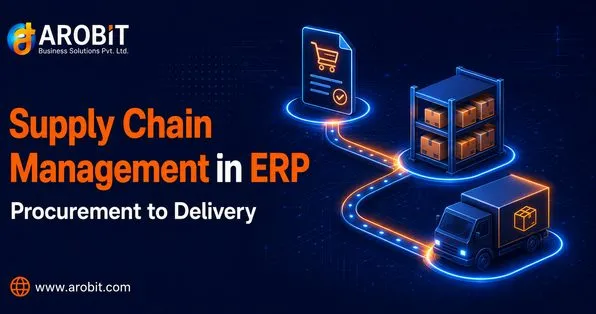
- Supply chain management: Keep track of every step in your supply chain operations so you always know what's happening.
- Procurement and inventory management: Use automation to handle purchases and check your inventory in real time.
- Production and manufacturing oversight: Plan and schedule production while keeping an eye on quality at every stage.
- Human resources management: Organize employee records, process payroll, and manage performance reviews.
- Project management capabilities: Assign resources, monitor timelines, and control budgets.
- Comprehensive business reporting: Use live dashboards and detailed reports to analyze every part of your business.
CRM
CRM tools prioritize customer-related features to boost sales and strengthen customer connections.
- Complete customer profiles and views: Access detailed customer data and track every interaction.
- Boosting sales and managing pipelines: Keep tabs on deals, automate tasks, and forecast sales outcomes.
- Running marketing campaigns and automation: Design targeted campaigns and streamline lead nurturing.
- Tools for customer support and service: Manage tickets and monitor customer communications.
- Tracking performance with analytics: Analyze sales results, customer satisfaction, and return on investment.
- Managing leads and improving conversions: Score, qualify, and optimize leads for better conversion rates.
- Keeping customer communication logs: Maintain a full history of all customer interactions.
What is an ERP?
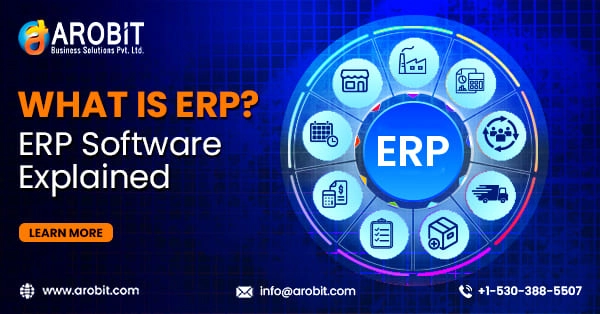
Enterprise Resource Planning (ERP) is a type of software that helps manage key business processes using a central database. It works as a hub that links all your departments, whether it’s accounting, human resources, sales, marketing, or supply chains.
What makes ERP special is how it lets different parts of the business share data. If a sales team seals a deal, that information gets sent right away to accounting to handle the invoice, to inventory to adjust stock levels, and to production for planning the order. This smooth connection gets rid of errors and delays that come up when teams do not work together.
Why use an ERP system
I’ve worked on ERP projects at Arobit, and I’ve seen just how much it can change the way businesses operate.
- Boosts operational efficiency: Removes extra steps and automates everyday tasks
- Improves data accuracy and reporting: Gives decision-makers easy access to dependable information
- Enhances planning and resource use: Makes things like inventory management and staff scheduling more efficient
- Cuts costs through automation: Savings often recover ERP setup costs within a year
- Encourages teamwork across departments: Breaks barriers and increases overall output
- Supports business growth scalability: Expands alongside your company's needs as it grows
- Manages regulatory compliance: Helps your business follow industry regulations
ERP Limitations
Still, setting up an ERP comes with its own set of problems:
- High implementation costs and complexity: Smaller businesses might find these difficult to handle.
- Lengthy deployment timelines: Full setup can take somewhere between 6 to 18 months.
- Steep learning curve for users: Users need proper training and time to adjust.
- Customization challenges: Unique processes can clash with standard ERP systems.
- Potential disruption during transition: Productivity might dip during the switch.
- Ongoing maintenance requirements: IT teams or dependable vendor support stay necessary.
What is a CRM?
Customer Relationship Management, or CRM, uses technology to collect and manage customer data. It helps businesses improve relationships and boost sales. While ERP systems focus on internal processes, CRM focuses outward to handle the entire customer journey. It works together with your customer strategies.
A set-up CRM stores all your customer details in one place. It keeps track of interactions, preferences, past purchases, and communication. It turns messy data into clear insights that allow your team to offer tailored experiences at a larger scale.
Why using a CRM helps
A good CRM system has a big impact on how a business grows:
- Stronger customer bonds and loyalty: Comes from knowing and meeting customer needs more
- Greater sales productivity and deal tracking: Makes it easier for sales teams to close deals quicker
- Smarter marketing campaigns: Allows more focused and data-backed marketing efforts
- Simpler customer service workflows: Makes sure every customer issue gets addressed
- Decisions guided by data: Replaces guessing with solid insights from analytics
- Higher earnings and profitability: Often comes with improved customer management strategies
- More precise customer grouping and targeting: Lets you concentrate on your most important leads
CRM Drawbacks
Despite the benefits, CRM systems also have downsides:
- Limited tools for operational tasks: Cannot take the place of complete business management software.
- Possible data silos: May occur when the CRM does not connect with other business tools.
- Issues with user adoption: Often happen when sales teams hesitate to change their usual processes.
- Constant need to update data: Requires regular effort to ensure all information stays up-to-date and correct.
- Higher costs to unlock advanced features: Expenses can rise fast when your needs get more complex.
- Reliance on good data: The system works best when data entered is both complete and accurate.
Boost your sales growth today!
If you want to boost how well your sales team performs, setting up a reliable CRM system might be the key advantage you need. A good CRM turns scattered customer details into clear insights you can use to grow your profits.
ERP vs. CRM: What's the better pick for your business?
Deciding if you should go with ERP or CRM isn’t simple. It takes a clear look at how your business works, what issues you face, and where you want to go in the future. You’ll need to think about your size, the phase your business is in, and the specific needs of each department.
When it makes sense to choose an ERP
ERP software works best in particular situations:
- Coordinating complex back-end processes: When many departments need to work together
- Fast-growing businesses handling multiple departments: ERP can provide the unified control needed
- A need to unify business insights: Across all teams and company functions
- Companies focused on manufacturing or distribution: These businesses gain a lot from managing supply chains and inventories
- Replacing several mismatched systems: When businesses switch from scattered tools to a single solution
- Meeting strict industry regulations: Businesses in regulated fields benefit
ERP works best for industries like: manufacturing, healthcare, professional services, distribution, and construction. Any business dealing with complex internal workflows sees major advantages.
When a CRM Makes Sense to Use
Businesses can benefit from CRM tools in various situations:
- A business structure built on customer relationships: Revenue grows with strong ties to customers.
- A need to improve sales and marketing workflows: Firms looking to make sales pipelines work more .
- Managing a growing number of clients becomes tricky: When handling customer data no longer works.
- Service-based companies relying on loyalty: Success hinges on keeping customers happy and coming back.
- A push to enhance customer experience: To improve every point where customers interact with the business.
- Difficulties in organizing and converting leads: When prospect tracking and management start becoming a mess.
- Customer details scattered across platforms: A need arises to organize all information about clients in one place.
Industries that use CRM include: Hotels, retail shops, banks, real estate companies, and professional services. These are all businesses where maintaining customer relationships plays a key role in their success.
Questions to think about
Ask yourself some important questions before deciding:
What’s my main business goal, and what generates my revenue? Should I focus on expanding my business or staying in control of its growth? Where does my company struggle? How involved are my customer relationships? What is my timeline and budget to implement a solution? How much growth do I want for my business?
Your responses will help you pick the best option to meet your present demands and future growth plans.
Do I need a CRM, an ERP, or maybe both?
Many established companies require both systems. However, the order in which they are implemented plays a big role.
- Businesses with a large number of customers but straightforward operations should prioritize CRM. It enhances how you manage customer relationships.
- Companies with fewer customers yet more intricate workflows should focus on ERP first. This will help them simplify and organize their internal processes.
- Established organizations gain the most by using both systems together. To plan, they should do a detailed cost-benefit review and map out a clear timeline to implement everything.
Connecting your ERP and CRM makes everything smoother
The real value shows when ERP and CRM are connected. This type of integration breaks down data silos. It provides the benefits of sharing data in real-time and offers a complete picture of your customer interactions and business activities.
When your sales team finishes closing a deal in the CRM, the details move to your ERP to check inventory, handle finances, and plan fulfillment. This smooth connection helps departments work together better and makes customer experiences better with shared access to data.
From guiding many businesses through digital changes, I’ve seen how companies with linked ERP and CRM systems succeed more often than those using separate tools. This pairing gives them a unique edge that’s tough to copy.
Drive Your Sales to New Heights
If you're deciding between ERP, CRM, or both, the most important thing is working with a skilled ERP development company or CRM development company that knows what your business needs. At Arobit Business Solutions, we have supported many businesses in making these choices and applying solutions that deliver tangible benefits.
To thrive, businesses must bring together operational efficiency and customer focus. Integrating ERP and CRM systems the right way and using them can give businesses the base they need to grow in a tough, competitive market.



Comments
No comments yet. Be the first to share your thoughts!